How to use Sweep the Slate
Here's the whole flow, from sign-up to your first tracked live draft.
Sweep the Slate is two tools that share one account: the free Draft Tracker website for managing your entire portfolio, and the live Chrome extension that rides along inside your Underdog drafts. Anything you do on one shows up on the other automatically.
Create your account
Sign up with email and password or Google — top-right of any page. No payment to begin.
Open the Draft Tracker
After signing up you'll have access to the Draft Tracker tab. There you'll find the Draft Room, My Teams, and Slate Info pages for every sport and draft type. Pick the one you want from the sport picker.
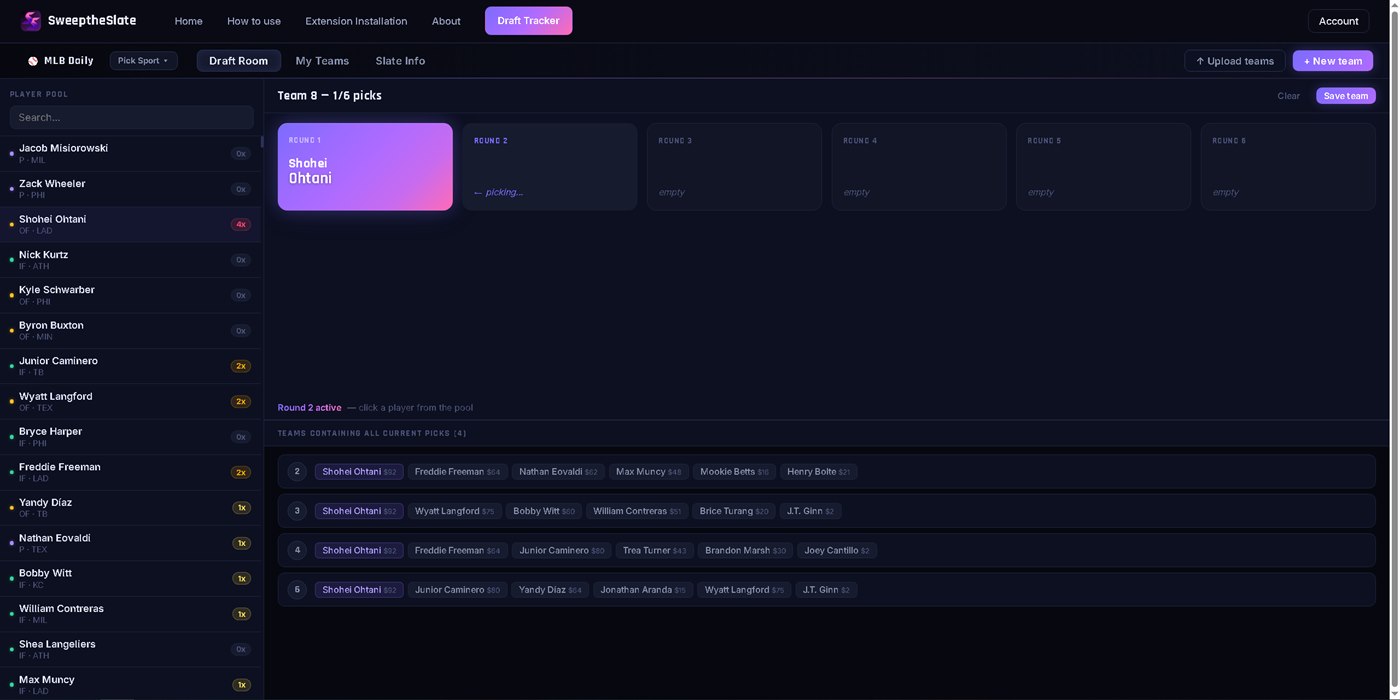
Review your teams & exposure
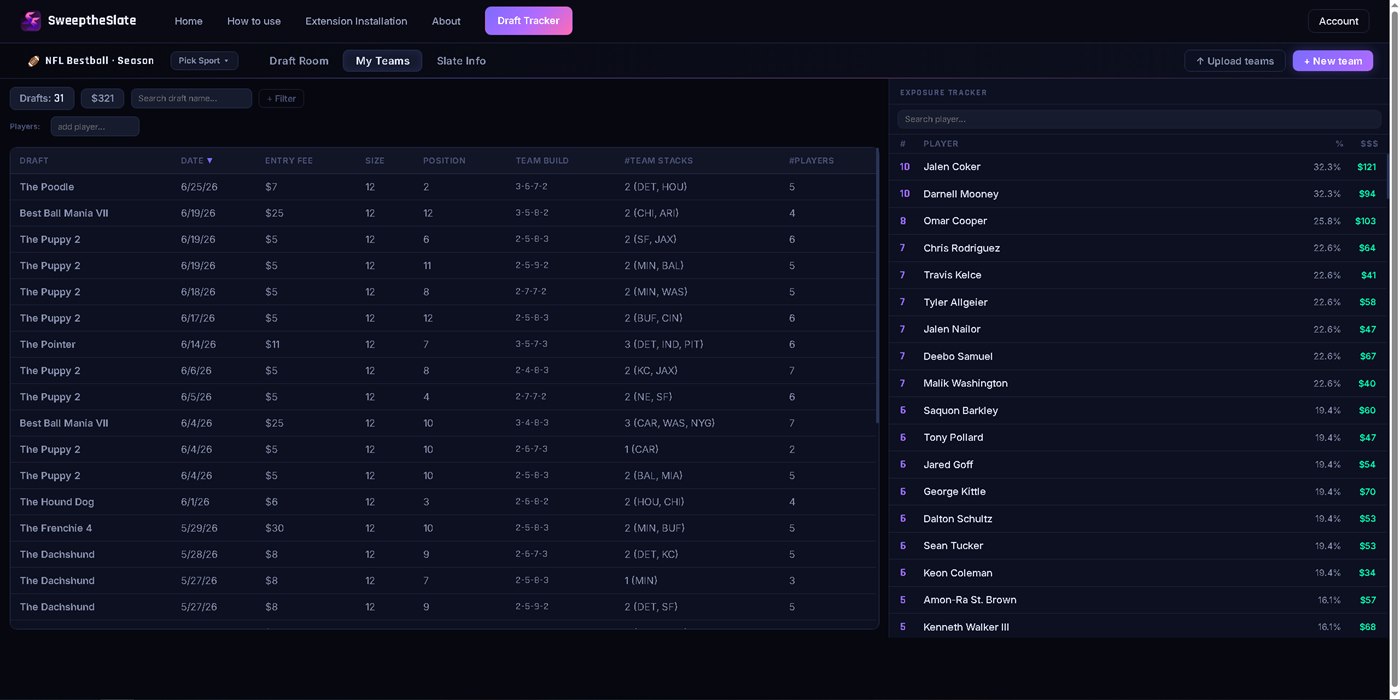
The My Teams tab shows every team you've drafted on the slate, plus your exposures for that slate. Filter and sort the table by any category, and narrow it down to teams that roster specific players (one or several at once). On NFL Best Ball slates, click any team to open Team View — an in-depth breakdown of your stacks and playoff-week matchups.

Set up your slate
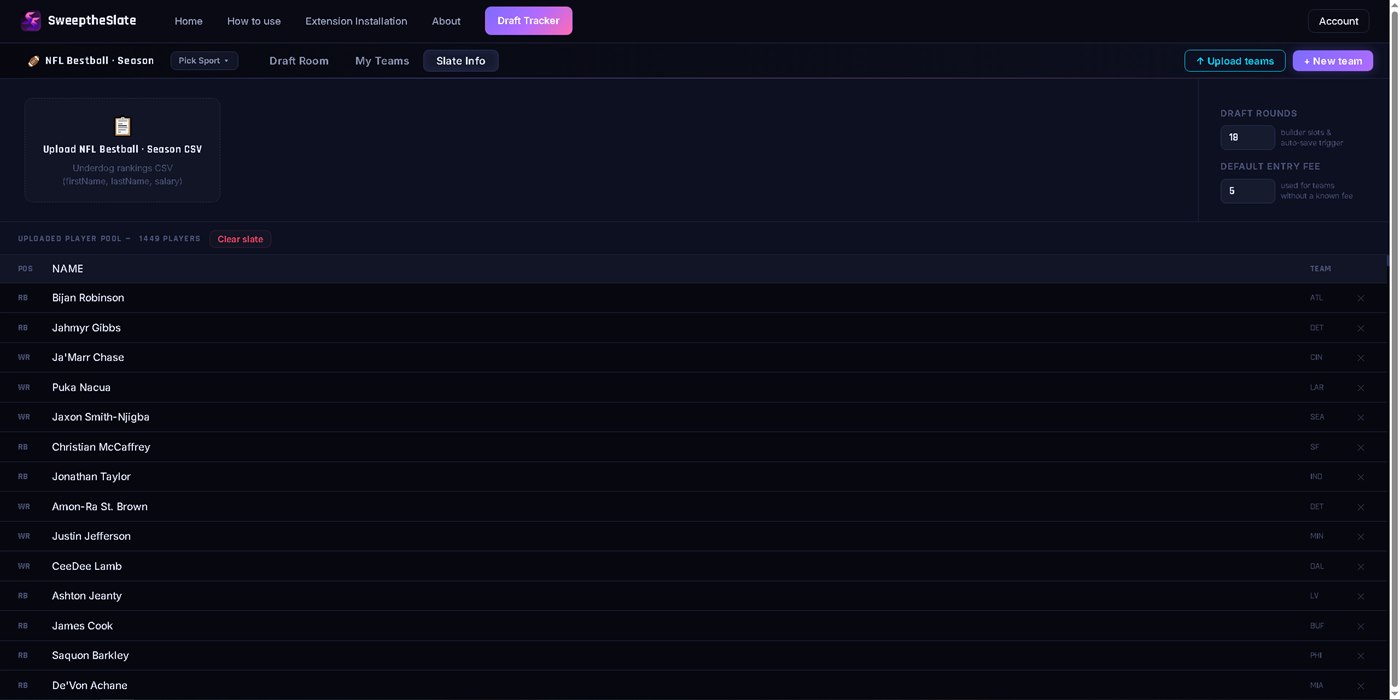
The Slate Info tab is where you upload your slate rankings, import previous teams drafted on the slate, set your default round and entry-fee info, and clear the slate when you're done.
Add the live extension
Ready to take it into your live drafts? Head to the Extension Installation tab to unlock the extension and see everything it does.